Web and code: small business websites
Build your own website, no code needed.
A web tool for a sole trader or a small crew to build a one-page website in the browser, in one sitting. Once it is finished, you can take the site away to put online yourself, or have us put it live on your own domain. Hosted with us, it stays yours to change: your link opens it in the builder, and you put changes live yourself.
Start buildingWho it is for
For the sole trader or small crew who gets most of their work from people finding them and ringing. Your page says who you are, what you do, where you work and when, and calling you is one tap, all without a designer, a long project or a big bill. It is set up the way Google reads a local business, with your name, hours, area and services, and it loads fast on a phone. With a Google Business Profile beside it, which we can set up for you, you can show up on the map as well.
Trades such as plumbers, electricians, builders and painters start from words written for the trade, and so do salons, cafes, tutors and bookkeepers; a business without a starting point of its own begins from the general one. The page carries what customers have said about you too, on your own domain, and texting or emailing you is one tap as well.
Nothing asked for until the site is in front of you
Choose what you do, a look and a colour, then type in the name, the number, the hours and the area, and the page builds as you go. The finished site is on the screen before any question of paying for it, and the decision is made looking at it.
How it works
Build it
Pick what you do, a template and your colours, then fill in the name, the number, the hours, the services and the area, with a few photos if you have them, and the page builds itself as you go. There is no account to make, and the draft saves on your device.
Check it
You see the finished page as it will look on a phone and on a desktop, before you decide how it goes live.
Get it live, or take it
We put it live, with a domain registered in your name and pointed at the site, the hosting, the secure address, a check on your own phone and the first year looked after. Then it stays yours to change: your link opens it in the builder, so new hours, a service or a photo go live in a minute, at no cost. Or you can take the folder at no cost and put it online yourself.
Example sites
Each template is shown on a business that does not exist in a city that does, and you can open any of them.
Docket
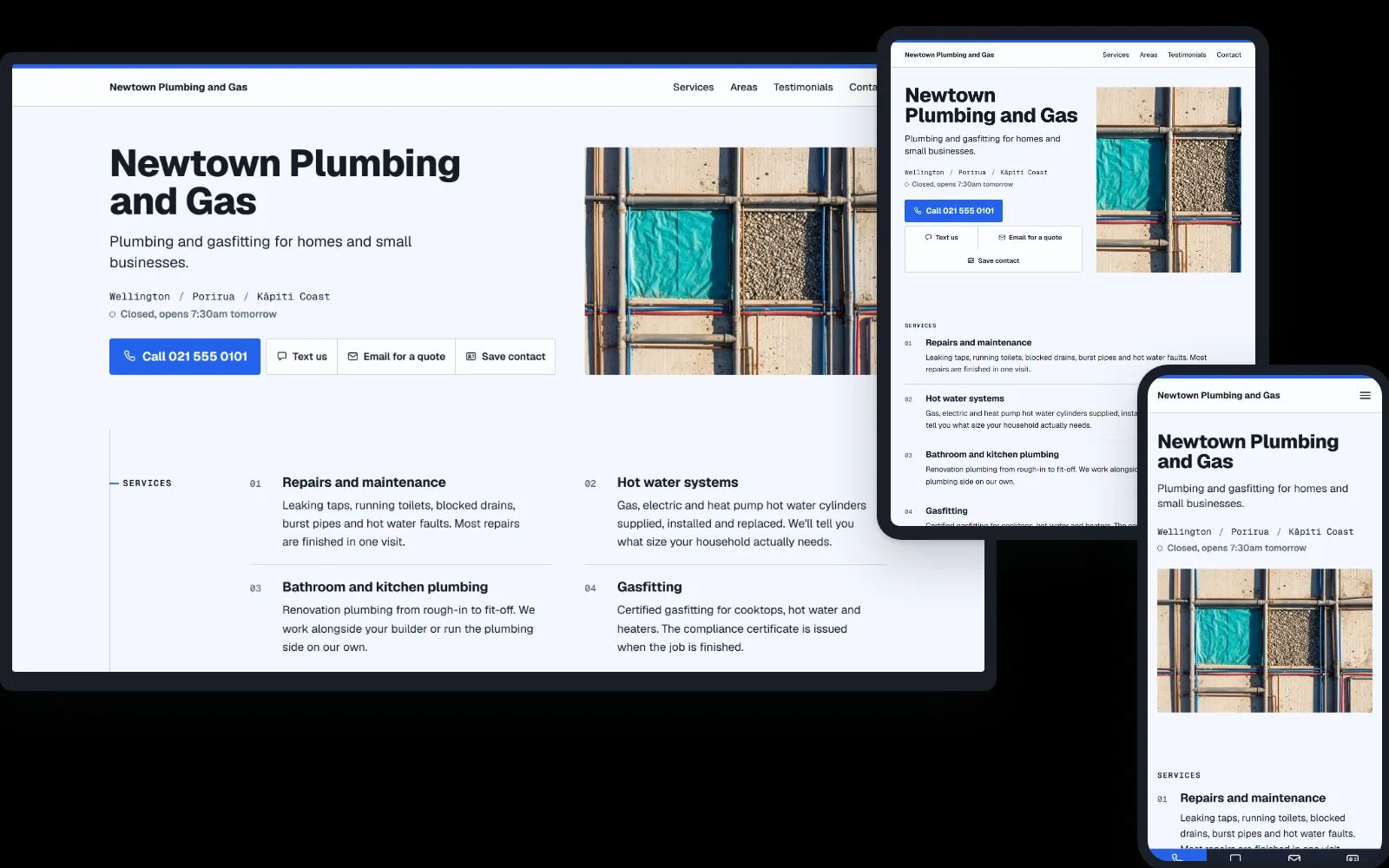
A job sheet to check: services, area and hours as plain rows, every figure in a typewriter face. See a plumber in Wellington. More on websites for plumbers.
Signboard
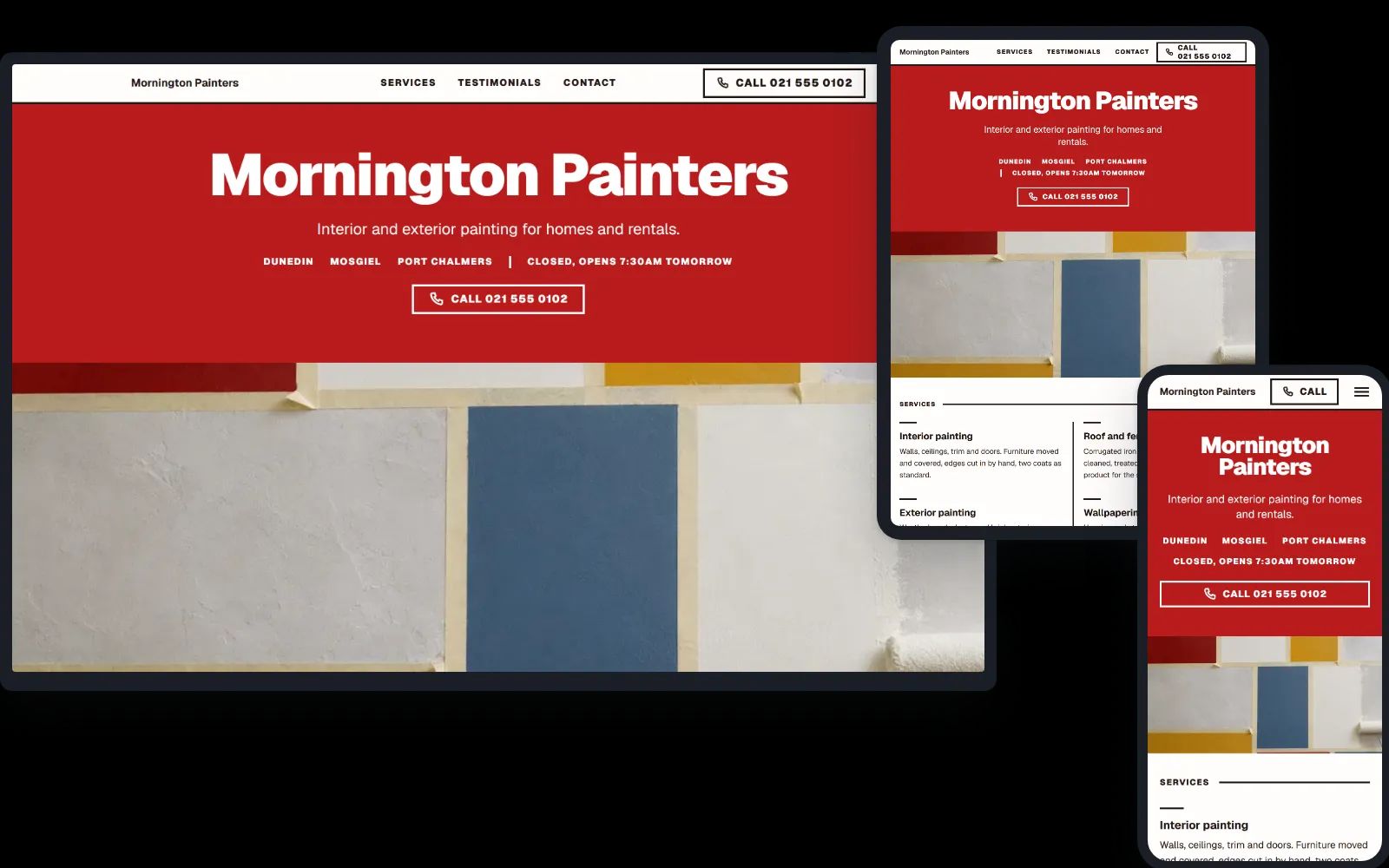
A sign to read: the name at full width on your colour, the services in two big columns under it, and as few words as the job allows. See a painter in Dunedin.
Editorial
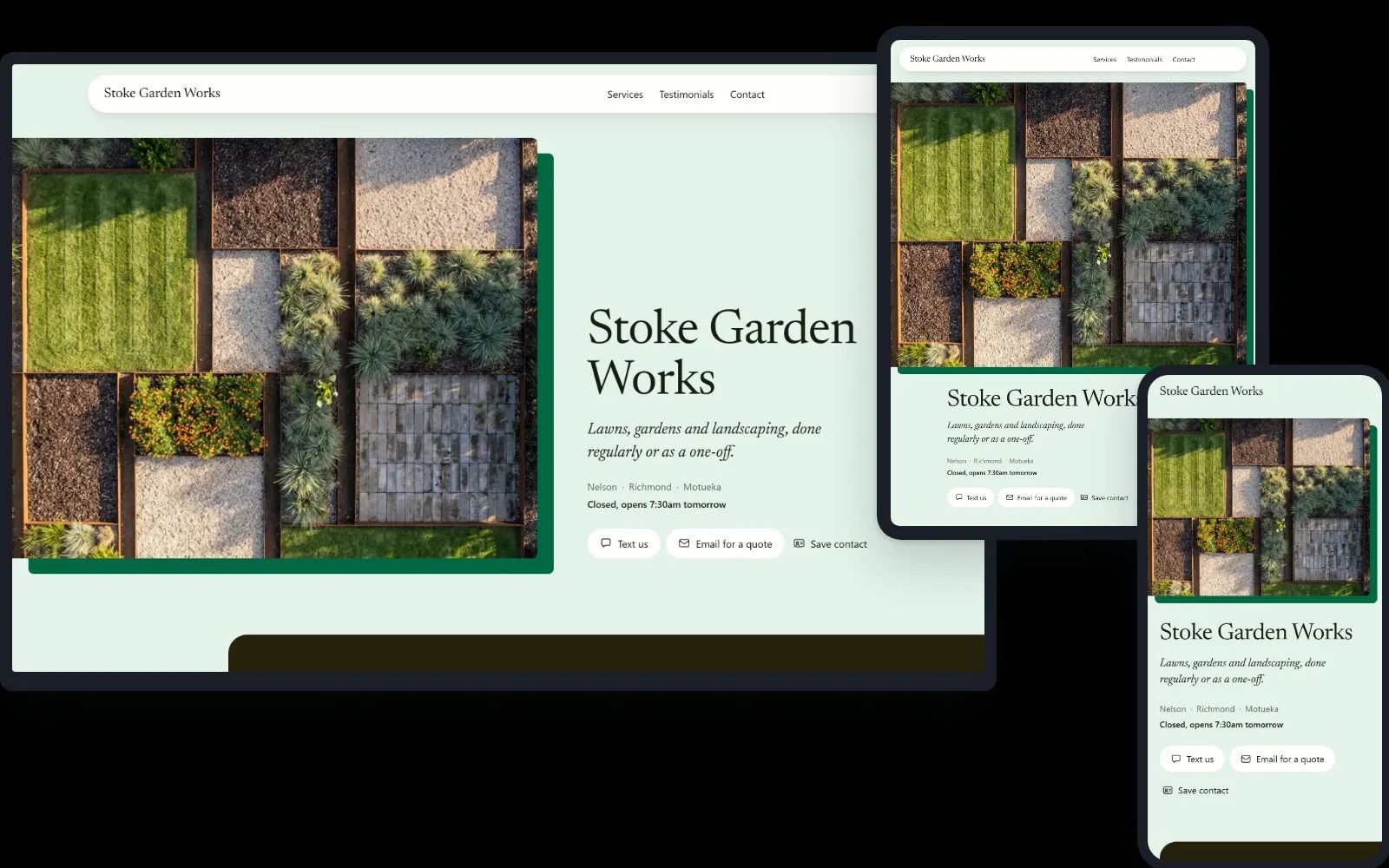
A spread to look at: one photograph laid large on a block of colour or timber, the name beside it, and a customer's words as the opening proof. For the trade with one good photo to show. See a landscaper in Nelson.
Calling Card
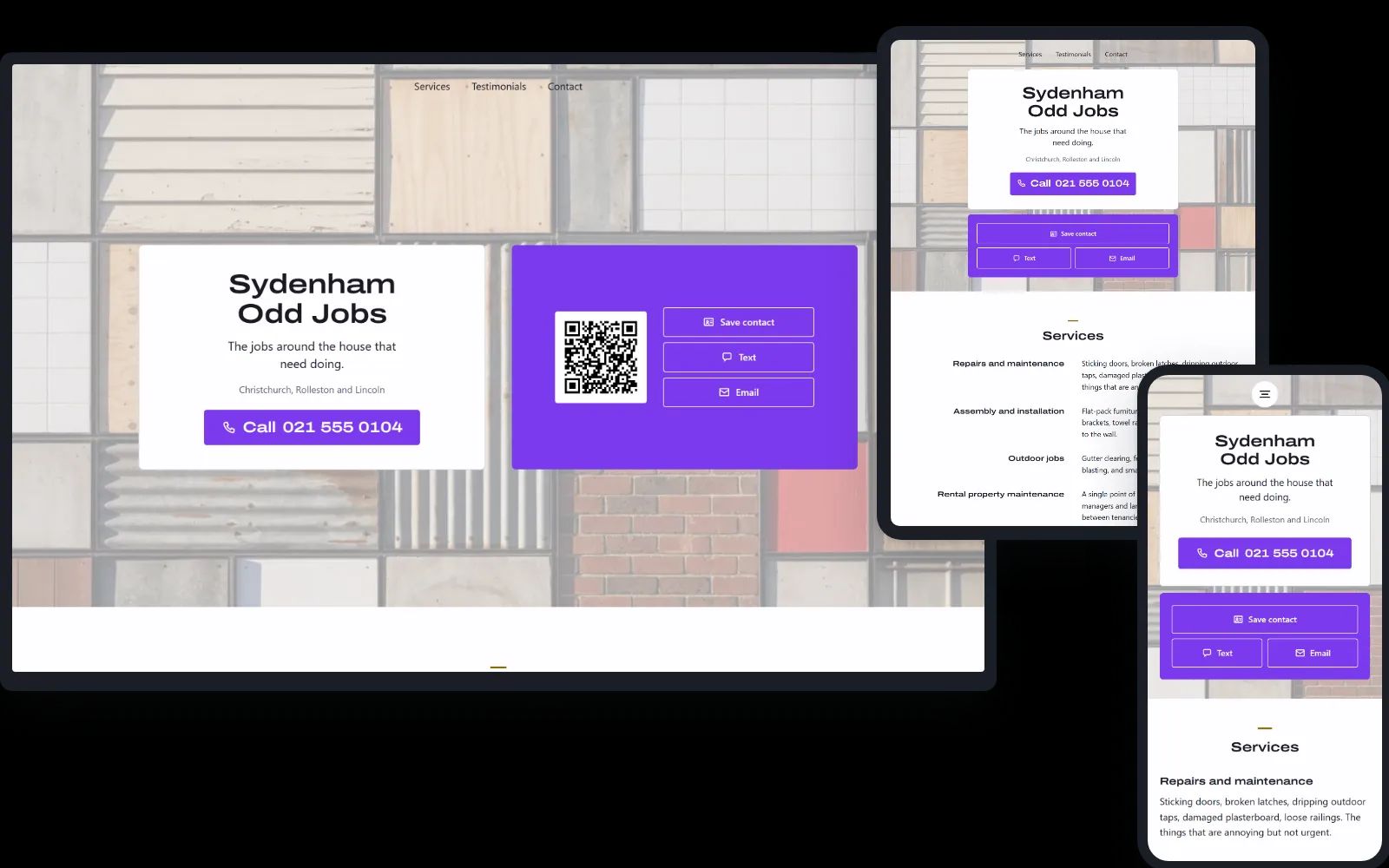
The business card itself, centred: name, number, a Save contact button and a QR code, laid on a faded picture. Needs no photos and no reviews, so it is the one to start with when there is little to show yet. See a handyman in Christchurch.
After Hours
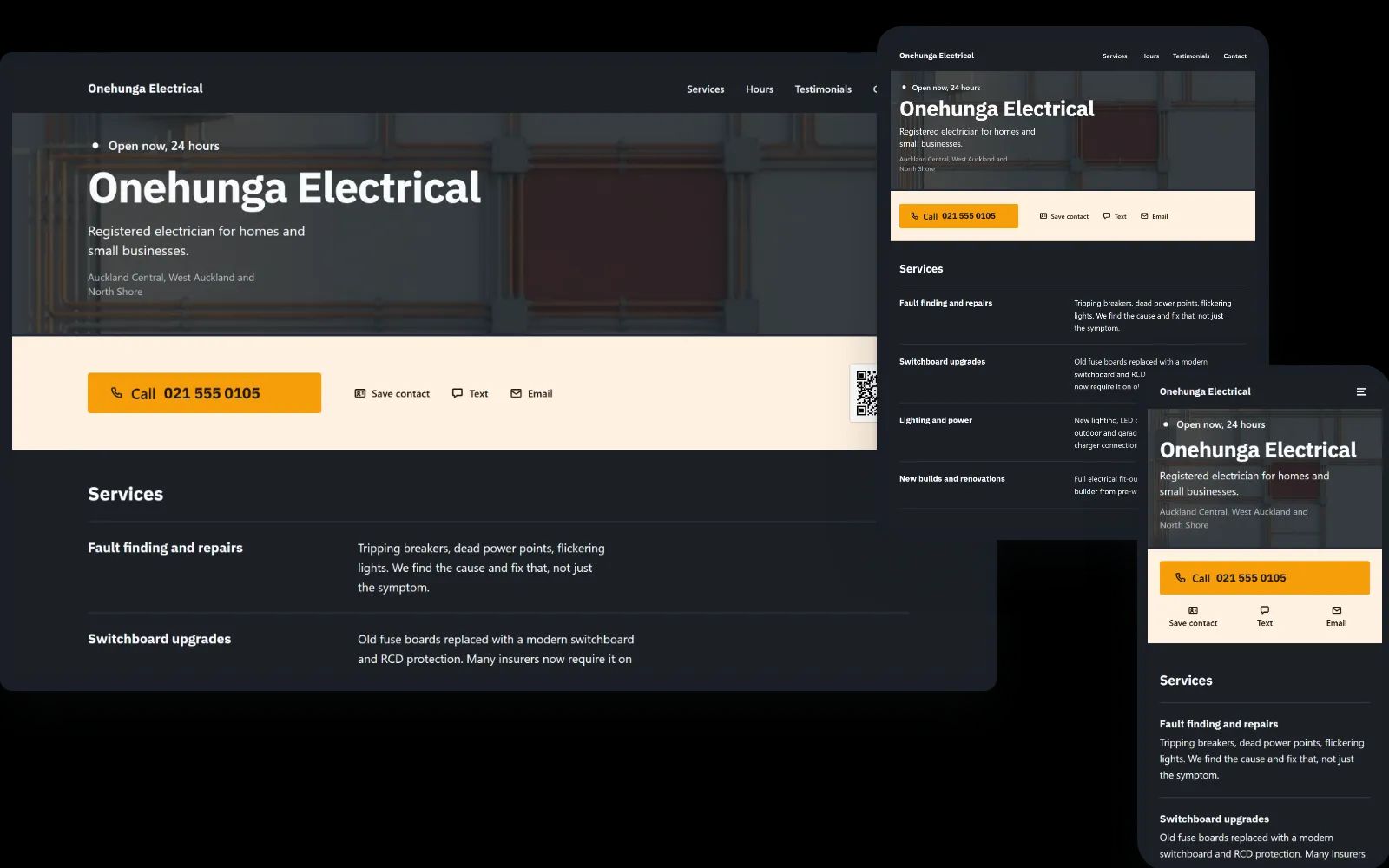
Dark, built for urgency: open now and Call fill the first screen, and the hours are drawn so people can see when you answer. For the plumber or electrician who picks up out of hours. See an electrician in Auckland. More on websites for electricians.
Patch
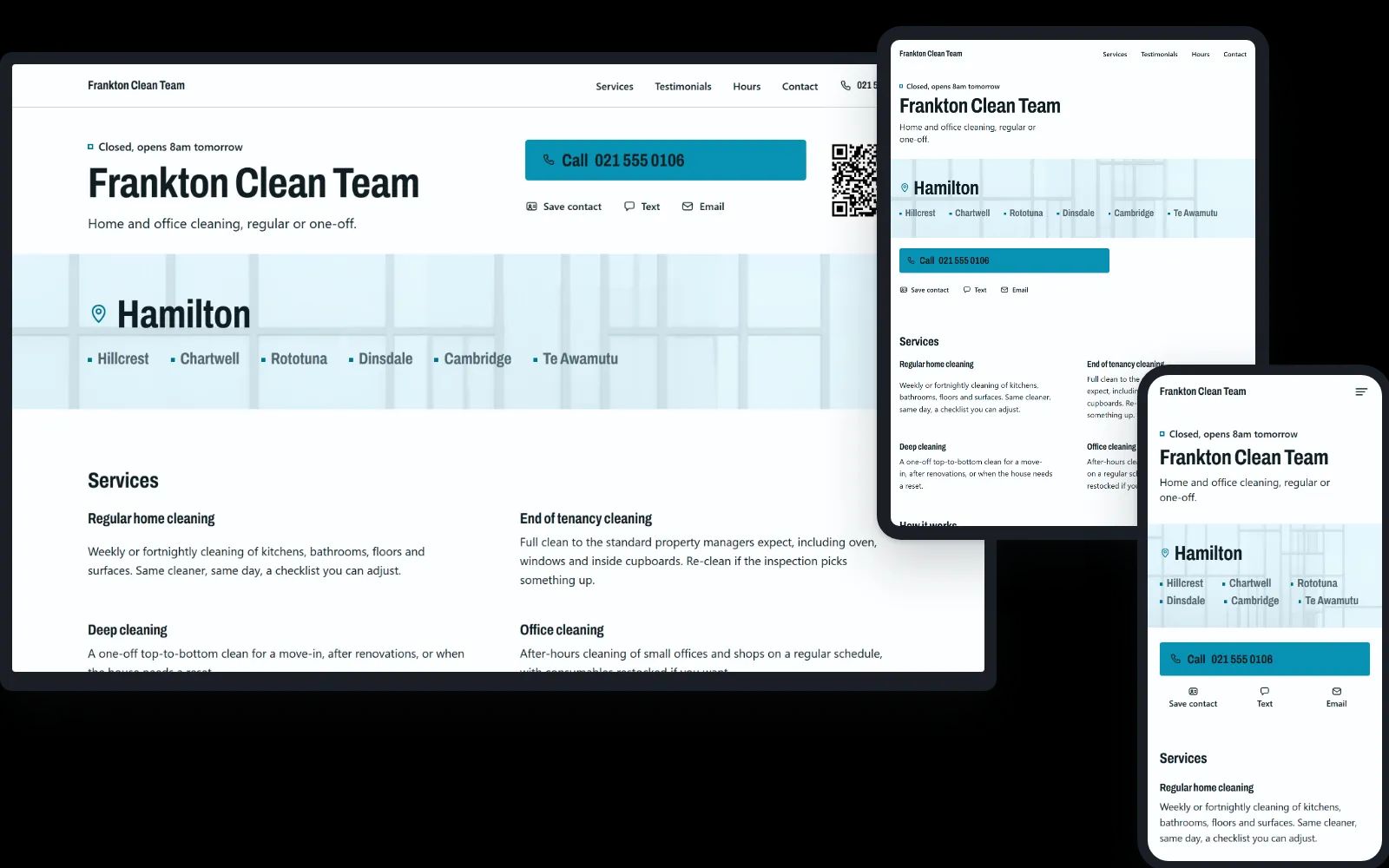
Led by where: the suburbs you travel to, set large under the name, so people find their own at a glance. For the trade that comes to the customer. See a cleaner in Hamilton.
Awning
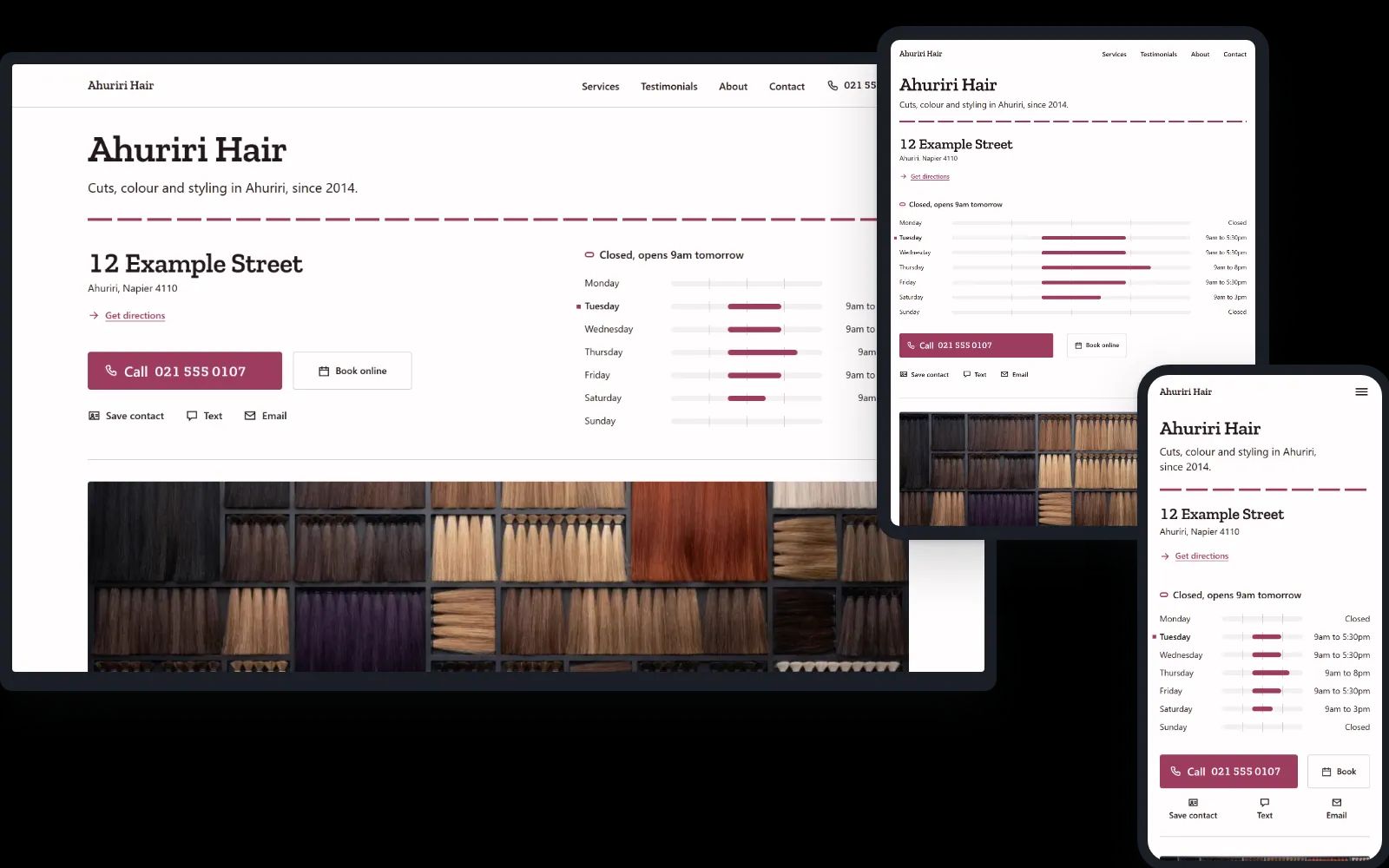
The shop from across the street: your address and your hours, drawn as a week, on the first screen, with Get directions and a Book button beside Call. For a business people come to: a salon, a clinic, a cafe. See a hair salon in Napier. More on websites for hair salons.
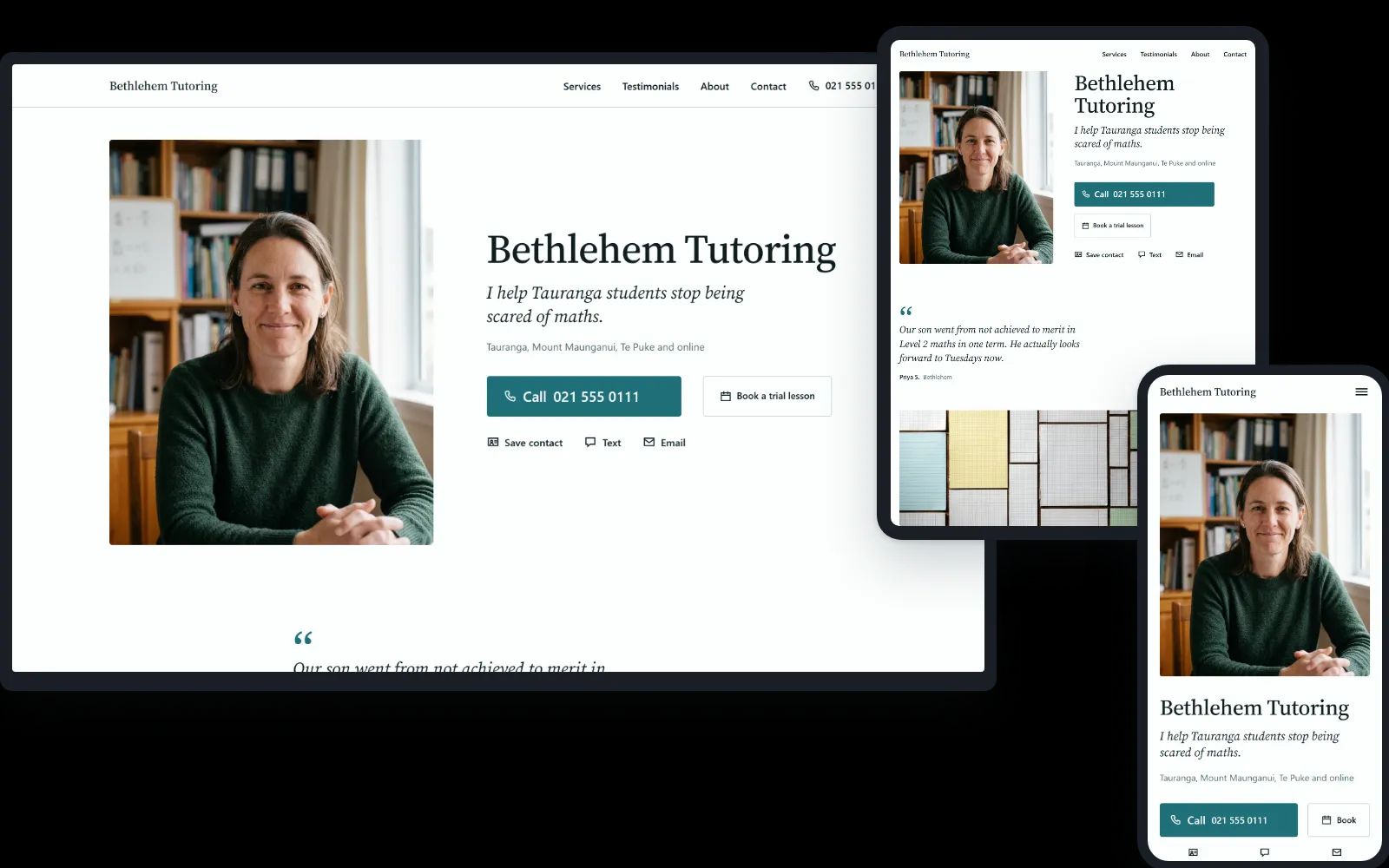
Portrait
You first: your photo large beside your name and the line about who you help, then what a client said. For the one-person practice people choose by the person: a tutor, a celebrant, a counsellor, a coach. See a tutor in Tauranga. More on websites for tutors.
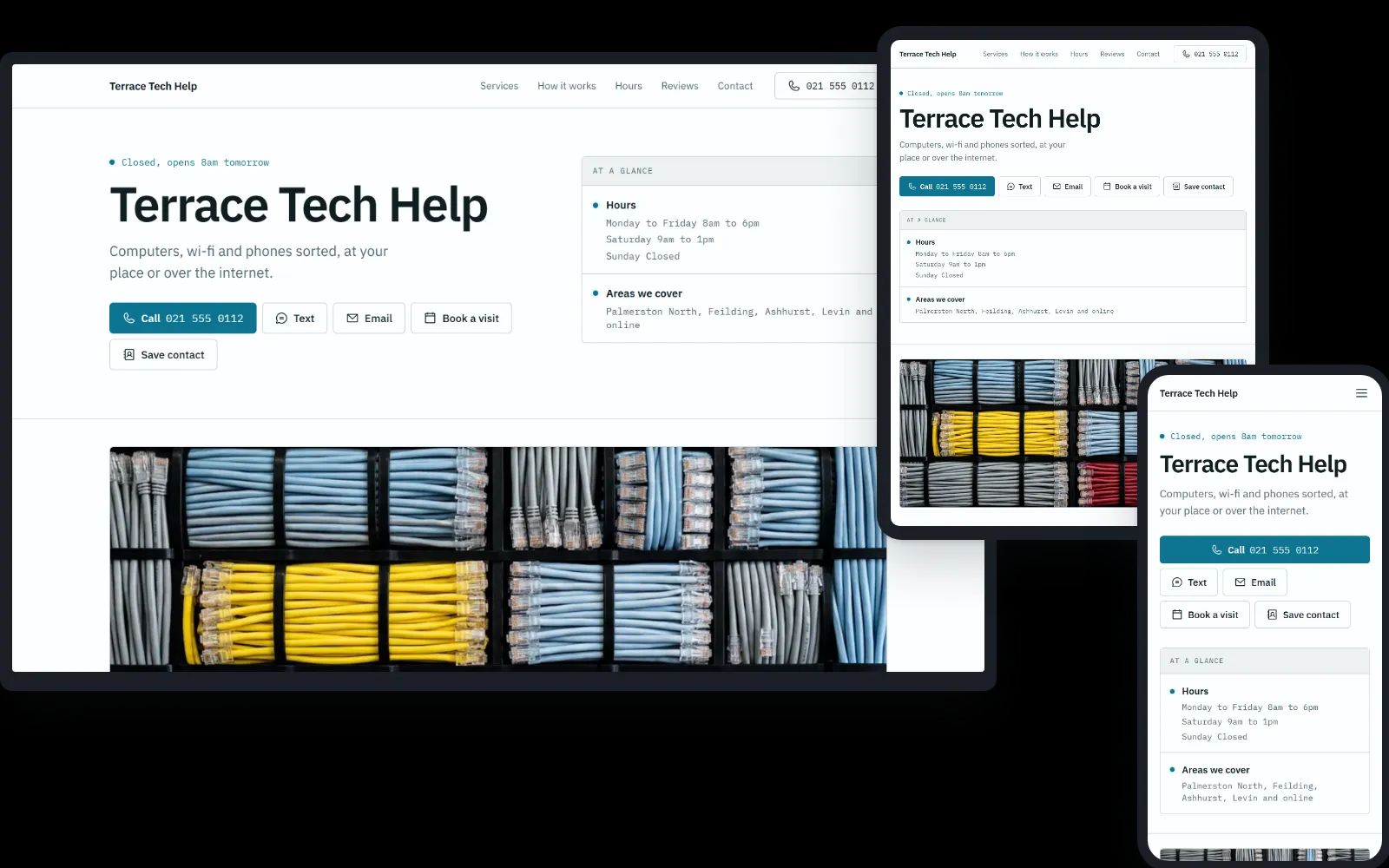
Status
Set out like a service status page: whether you are open, then your services in tidy rows with an icon and a price, the week drawn as bars, how a job goes in three steps, and reviews as jobs resolved. Flat and exact, for tech help and anyone whose customers like things plain. See computer help in Palmerston North.
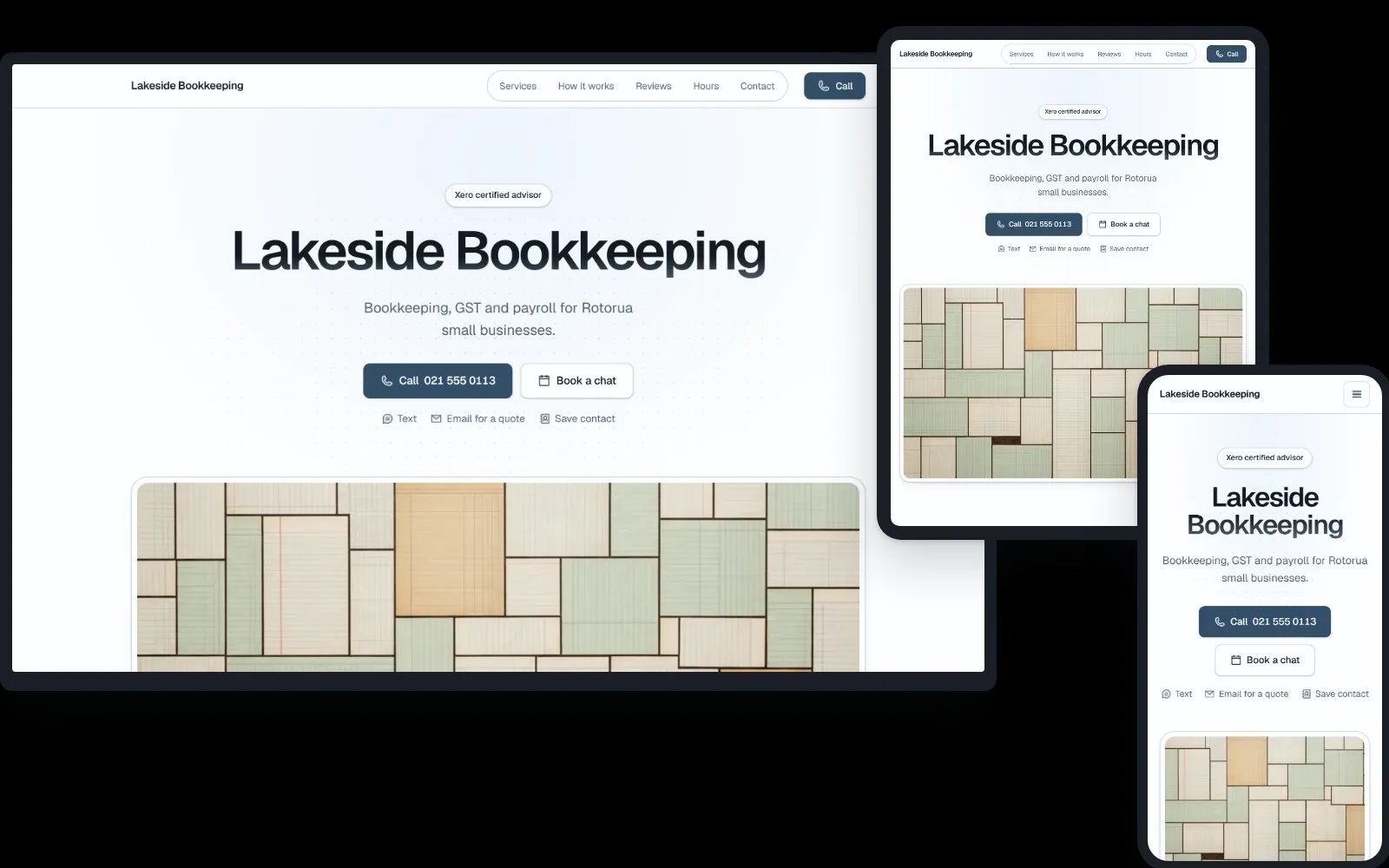
Launch
The look of a modern software site, kept calm: a large centred name on a glow of your colour, your services as a set of cards with an icon each, how it works in three steps, and a closing panel in your colour. It turns dark when the visitor’s phone is set to dark. For professional services and tech. See a bookkeeper in Rotorua.
Already have your own branding?
Bring your logo and your exact colours: the builder takes both.
Want your own fonts, a layout made around your brand, or more than one page? We build that too. Every job is different, so we quote it after a quick call, once we know what you have in mind.
Started a site in the builder already? Tick "A site built on your branding" at the end, and we see what you have made before we talk.
No cost, or hosted
All prices in New Zealand dollars. The full terms: terms and licence, hosting terms.
Nothing to keep updated
Your site is plain files, with no plugins, admin login or database, so there are no updates to apply, far less to break into, and no monthly platform fee. Kept live by us, it is $99 a year with fixes included.
It loads fast too: Google's Lighthouse test scores the templates 99 to 100, tested as a phone on a slow mobile connection.
What it deliberately does not do
It is one page rather than a site of pages, with no shop, booking system or forms, and no visitor tracking or cookies. A Book or Menu button opens the booking page or menu you already use, and the page itself says who you are, what you do, where and when, and how to call you.
Need more than one page, or your own fonts? That is a site built on your branding, which we also do. How to start.
Written for the work you do
A starting point for each kind of business, from plumbers to cafes, fills the page with words that already sound right, so much of the work is changing a name and a number. Everything is yours to rewrite.
More on what it does for plumbers, electricians, builders, hair salons, cafes and tutors.
What to add after
A domain is a website and an email address. With a Google Business Profile and Search Console beside it, a small business has its whole basic setup, for very little.
On the builder's last step you can tick the ones you are curious about, and we include them when we get in touch. No prices there yet, so nothing is added to the order.
- Email on your domain
- [email protected] instead of a Gmail address, on the phone you already carry. We set it up on Google Workspace, or Microsoft 365 if that is where you work, and you pay them their monthly fee. Many trades find it worth having.
- A Google Business Profile that agrees with the site
- This is the listing that can put you on the map and in the local results. We set it up, or check the one you have, so the hours, the areas and the services match the site word for word. The site already carries all three in the form Google reads.
- Search Console
- We tell Google the site exists and connect the reports, so you can see the search terms people found you by. Google does not charge for it.
- Photographs of your work
- Photographs of your own work are the one thing a library picture can never be, and a half day on your jobs gives the site, the profile and the ads the same real pictures.
Questions
- Is it free?
- Building the site costs nothing, and so does taking it as a folder to put online yourself: no account and no card. You pay only if you want us to put it live: $300, then $99 a year.
- Domains
- One domain is included in the $300 and the $99: a name that is available to register at its standard price, in a common ending such as .nz, .co.nz or .com. A name someone already owns, or one a registry sells as premium, costs the difference. A domain you already own stays where you bought it. We point it at the new site, a change we do with you, and we move your email settings across first so nothing stops working.
- Ownership and the licence
- Your content is yours: the name, the words, the photos, the logo, the reviews. The template, the code and the library pictures are Train Effect’s, with a permanent licence, at no cost, to use them for your own business’s website: host it anywhere, change it, keep it. The domain is registered in your name.
- Changes
- Change it yourself, at no cost. Your link opens your site in the builder: change anything, then put it live when you are ready, and undo it if you change your mind. A live site never changes by itself. Would rather we did it? A change made for you is 30, and most take fifteen minutes. Bigger jobs are quoted first, at 120 an hour, and nothing is charged until you agree. Fixes that keep the site working are part of hosting and cost nothing.
- Leaving
- Leave at any time. You get the site as a folder to put online anywhere, and the domain’s transfer code, at no cost. The licence carries on.
Start building.
No cost to use, no account, and nothing to pay until the site is in front of you.
builder.traineffect.co.nz